|
DataCard
DNP
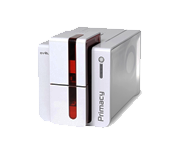
Evolis
Fargo
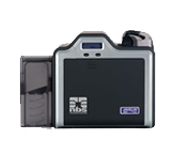
HID Global
Javelin
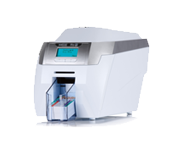
MagiCard
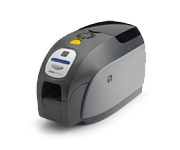
Zebra /Eltron
Matica
NBS
|
DataCard
Verdens mest solgt plastkort printere - herunder de populære modeller SP25 , SP35 , SP55 og SP75
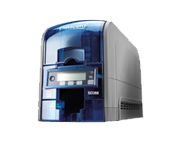
Se også DataCard ' s helt nye, lille, smarte plastkort printer model SD 260
DNP
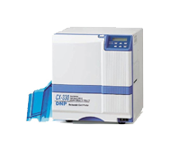
Dai Nippon, opfinderen af re-transfer teknologien - offset lignende printteknologi og ikke mindst super og professionelt tryk, herunder 100% til kant og fantastisk dybde i trykker...
Model Cx-330 er udviklet specielt til print af chipkort bl.a. berøringsfri kort med indbygget chip og ofte noget ujævn overflade på kortene.
Evolis
Evolis har netop fejret 10-års jubilæum og på samme tid er deres plastkort printere blevet nogle af verdens mest solgte - ikke mindst modellerne Tatto2 , Pebble4 og Dualys3
Men også de semi-professionelle modeller Securion og Qantum samt Kiosk (til indbygning) er populære
Fargo
Branchens bredeste sortiment:
Plastkort printerne model Dtc30e , Dtc1000 , Dtc400e , Dtc4000 , Dtc4500 , Dtc550 og Hdp5000
Direct-to-card printere og re-transfer printere...
HID Global
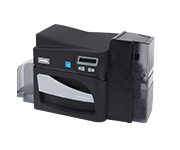
HID og Fargo - nu to sider af samme sag.
Plastkort printerne Dtc1000 , Dtc4000 og Dtc4500 er de første nye modeller i det relativ nye samarbejde
Javelin
Små og smarte plastkort printere fra Javelin, herunder modellerne J100i , J110i , J120i med vendestation , J330i og J430i også med vendestation
Modellen J360i med alu-kabinet. Elegant og robust på samme tid
MagiCard
MagiCard har modtaget flere internationale priser for deres opfindsomhed og videre udvikling af plastkort printer konceptet
Modellerne Pronto , Enduro (leveres forberedt med vendestation) , Rio og Tango er alle bevis herpå
Zebra / Eltron
Zebra, tidligere Eltron er verdenskendt for sine små label printere - nu også for deres små og prisgunstige plastkort printere med modeller som P100i , P110i , P120i , mens P330i og P430i med vendestation er til det lidt større behov OG nu også Zebra ZXP 8-series Re-transfer printer...
MaticaSystem
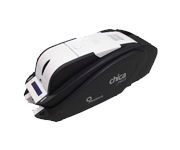
SMART - ja, det hedder denne lille smarte plastkort printer fra MaticaSystem faktisk...
Enkelt og hurtigt at komme igang og man kan printe 1-farve på fortrykte krot eller 4-farve på billige hvide kort alt efter valg af farvebånd
NBS
Professionelt og lynhurtigt udstyr til personalisering af kort 1-farve, men samtidig indkodning af div. medier som magnetstribe og chip
Fås nu også med vendestation og store in- og outputmagasiner (500 kort) |
Cardprinters - how they work
Digital card printers have been available for over 30 years and it could be argued they superseded the ‘Polaroid' style card pouch, or the commonly used cut & paste laminated card process. Information below provided by Zebra Cards (formally known as Eltron)
Common card printer features: All plastic card printers feature the same basic printing operations; dye sublimation and/or thermal transfer printing. Both techniques involve heating a thermal print head while in contact with a ribbon. However, thermal transfer printing differs from dye sublimation in that thermal transfer uses ink rather than dye. In thermal transfer printing, heat melts the ink on the ribbon, causing it to transfer to the card surface. In dye sublimation, heat vaporizes the ribbon dye, which then permeates the plastic card.
The ribbon used in colour dye sublimation printing is divided into three separate colour panels Yellow, Magenta, and Cyan. This configuration is referred to as YMC.
These three colours (Yellow, Magenta & Cyan) are the primary colours used in printing to produce all other colours including black.
The dye from the ribbon is applied to the plastic card via a multi-pass operation. This means the card will pass under the print head once for each of the three coloured ribbon panels - applying each colour separately.
"Dye Sublimation" is also referred to as Dye Diffusion. When the print head heats the dye on a ribbon, the dye is transformed from a solid to a gas and diffused onto the plastic card, which is specially coated to absorb the colour dye.
The temperature of the print head controls how much dye is converted to a gas - as the print head temperature rises; more dye can be absorbed into the plastic card. Consequently, the picture quality and continuous colour tones produced by a dye sublimation printer - at300 dpi - can outperform most laser or ink jet printers with higher resolutions. The advantage of dye sublimation is the millions of colours that can be created. Varying the heat intensity on the ribbon panels yields various shades of each colour, making colour selection virtually unlimited.
Thermal Transfer –v- Dye Sublimation As mentioned above, thermal transfer differs from dye sublimation in that it uses ink instead of dye. However, both dye sublimation and thermal ink (sometimes referred to as Resin) can be combined in one ribbon. This ribbon is known as a YMCK Ribbon. The letter "K" designates the colour black in the printing industry.
Why do you need a separate black panel, when you can create black by mixing the three basic YMC colours together? The answer to this question is simple. The black created by mixing the YMC colours together is referred to as "Composite Black." Composite Black typically looks muddy or has a grayish tint when compared to Thermal Transfer (TT or resin) black. Composite Black is not recommended for printing bar codes since it does not produce the sharp edge many scanners require. Although this is invisible to the naked eye, it is easily observable under magnification). Composite Black is also invisible to IR scanners since there is no carbon in the dye. Since you may not know what type of scanner will be used, the rule is to always use TT (resin) black to print bar codes.
Monochrome Printing In general, all dye-sub printers are capable of printing in monochrome using a single colour ribbon. These ribbons are less expensive than full colour multi-panel ribbons and can be either dye or ink (thermal transfer). The most commonly used monochrome ribbon is "Black" but there are several other colours available including; Red, Green, and Blue.
Colour Image Printing Dye Sublimation ribbons are preferred for printing pictures, since they can produce many shades of gray for a smoother look and a better picture quality. A resin black picture normally uses a dithered gray scale (gray made from a combination of pixels which limits the number of shades), producing a coarser, grainy look to the image.
Text, Barcodes, Single Colour Graphics Thermal Transfer (resin) ribbons should be used to print text, bar codes or single colour graphics such as simple logos. The letter "K" followed by a lower case "r" or "d" (Kr or Kd) denotes black monochrome ribbons. |